AWS IoT and Machine Learning > LAB: AWS IoT Analytics > 2. Streaming Data Workflow > 2.3 IoT Analytics Data Store
2.3 IoT Analytics Data Store
Create the IoT Analytics Data Store for your pipeline
A data store receives and stores your messages. It is not a database but a scalable and queryable repository of your messages.
- Navigate to the AWS IoT Analytics console.
- In the left navigation pane, navigate to Data stores
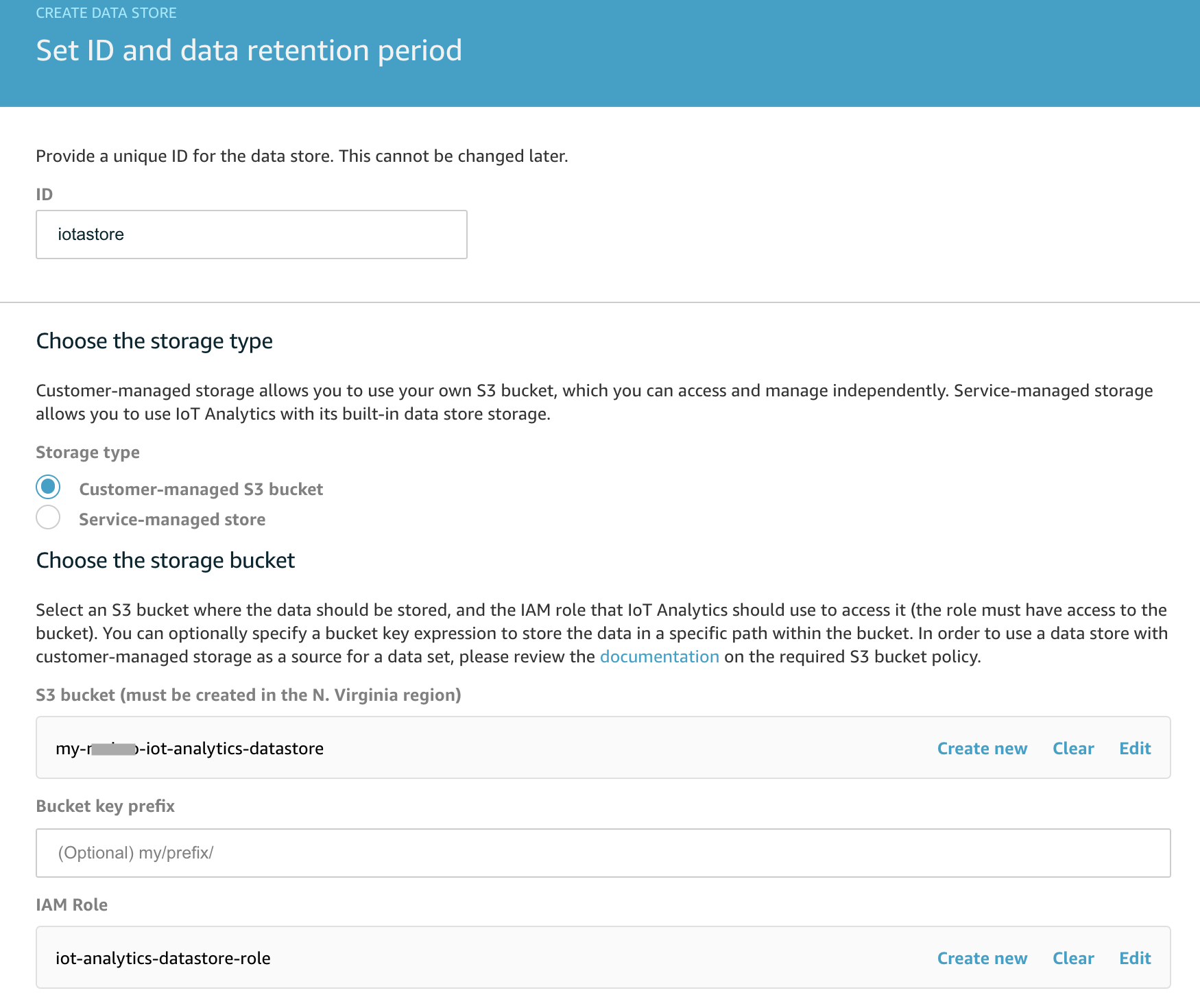
- Create a new data store
- ID:
<yourname>_iotastore. Click Next - Choose the Storage Type: Customer Managed Storage, and choose your Data Store S3 bucket created previously (ending in ‘-datastore’).
- IAM Role: Create New, and give your new IAM Role a name, for example
<yourname>-iot-analytics-datastore-role. This will give IoT Analytics the correct IAM policies to access your S3 bucket.
- ID:
- Click Next.
- Select JSON as the data format and click Next.
- Leave the data partitions section as default and Click Next.
- On the review page, click Create data store