1.3 IoT Rule
Create an IoT Rule
AWS IoT rules send data from your devices to other AWS services. They listen for specific MQTT messages, format the data in the message payloads, and send the result to other AWS services. Here we are going to create a rule that sends the message to a DynamoDB table if the voltage is >= 200.
-
Navigate to the AWS IoT Core console.
-
In the left navigation pane, navigate to Act -> Rules
-
Create a new rule, using the following:
- Name:
<yourname>_large_voltage_rule - Description:
Checks to see if voltage is high (>=200) and if so sends the message to a DynamoDB table - Rule Query Statement:
SELECT * FROM 'smarthome/house1/energy/appliances' WHERE voltage >= 200
- Name:
-
Click Add Action and select Split message into multiple columns of a DynamoDB table (DynamoDBv2) and then click Configure Action

-
On the next screen choose Create a new Resource. This will take you to the DynamoDB console. From the left pane, choose Tables and then click Create Table. For the Table Details, enter:
- Name:
<yourname>-large-voltage - Partition Key:
_id_(String) - Sort key:
timestamp(String) - Leave the rest of the settings as default values and click Create Table
- Name:
-
Return to the IoT Rule page, and click the refresh icon to reload the list of tables.

-
Select the table name you just created. Next, select Create Role. Give your role a name, such as
<yourname>-iot-ddb-access. Click Create Role -
You should receive a Policy Attached message and the new role should automatically be selected. Click Add Action
-
Click Create Rule. The rule will automatically be enabled and start funneling any items with a voltage greater than 200 to the DynamoDB table.
-
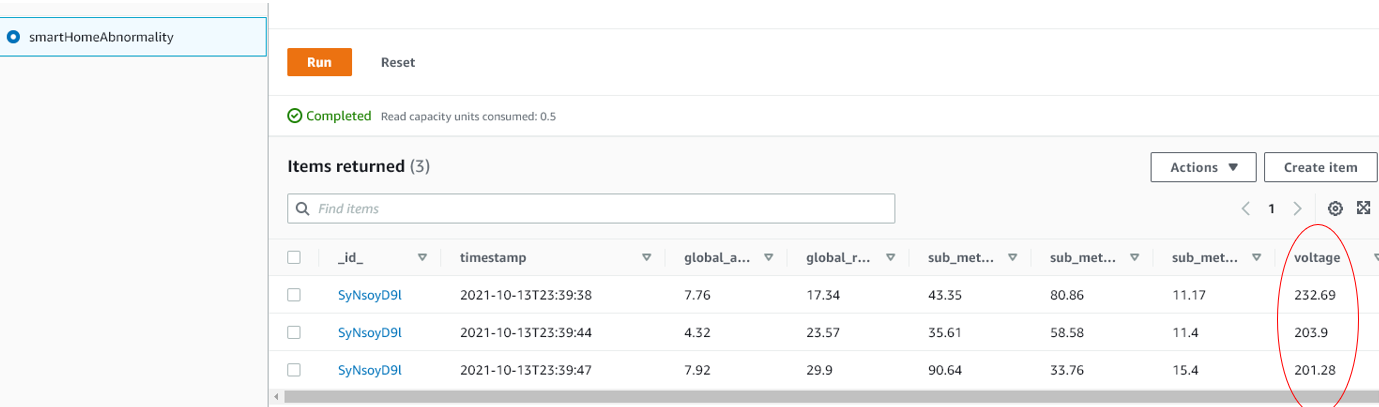
To verify the items are getting received, navigate back to the DynamoDB Console. From the left pane, select Items and then choose your table from the list. You should see items being populated with your MQTT messages being sent from the Device Simulator. But it will only include items that have a voltage >= 200. (If you don’t see any items you may have to wait a minute until some voltages are generated with >= 200).
Configuring IoT Rules is an easy way to send your messages to multiple data sources for additional downstream processing.