AWS IoT and Machine Learning > LAB: AWS IoT Analytics > 4. Visualize the Data > 4.1 Configure Amazon Quicksight
4.1 Configure Amazon Quicksight
Configure Amazon QuickSight
Amazon QuickSight should already be setup (If not, follow these instructions). However, you will need to make sure that QuickSight has access to your S3 and IoT Analytics data
- Navigate to the Amazon QuickSight console.
- Under the top right menu that dispalys your current user (e.g., TeamRole/MasterKey), choose Manage QuickSight
- Select Security & Permissions from the left menu. Under the QuickSight access to AWS Services, click Manage.
- Click on Select S3 Bucketsand then make sure you select the buckets that you created earlier:
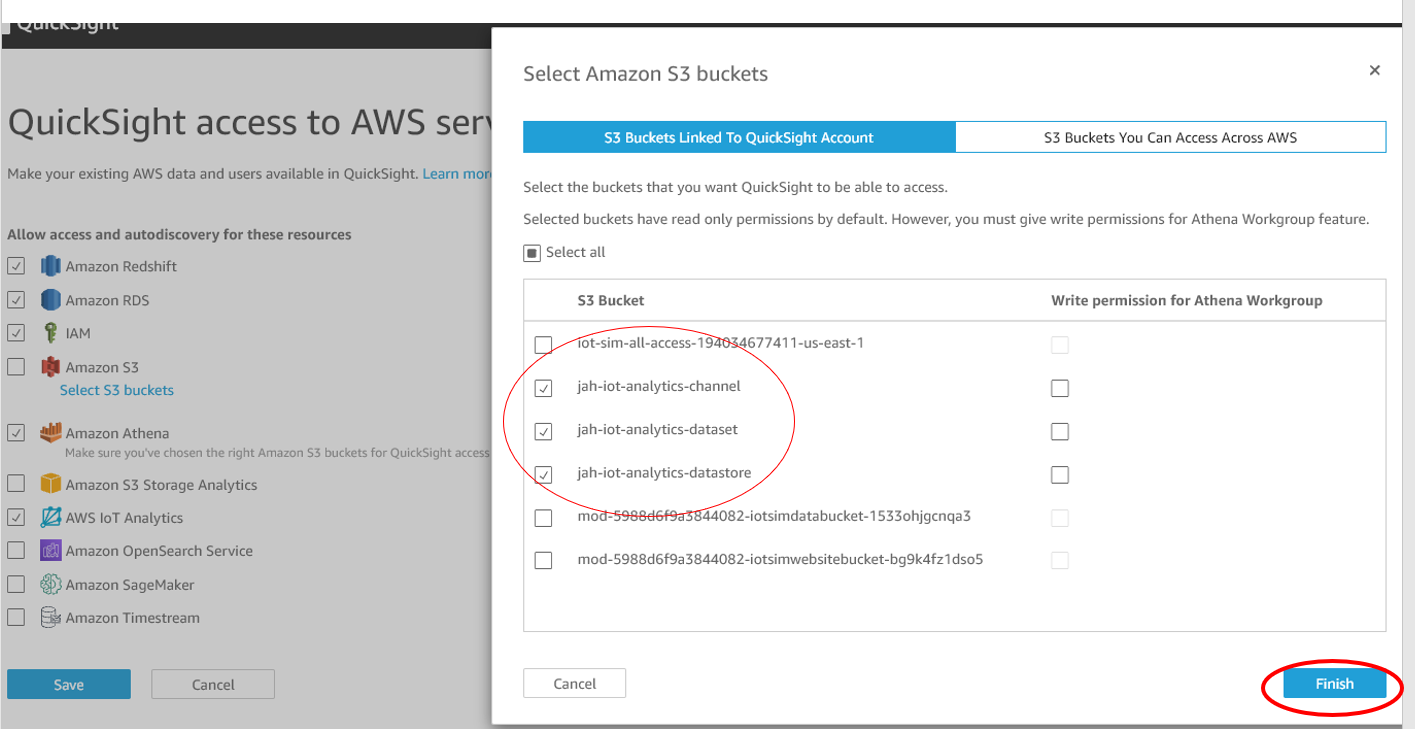
- Click Finish
- Make sure the AWS IoT Analytics option is also checked so that QuickSight can analyze data stored in AWS IoT Analytics. Click Save
*NOTE: Make sure you don’t uncheck other S3 buckets. If unsure, you can just choose Select All.